Live tool ecosystem
Seventy free browser tools are publicly available without a login or paywall.
XO3D Labs is a live estate of 70 free browser tools for 3D production, product planning and creative decision-making. The current public offer requires no login and has no trial or paywall. Historical account and Pro work is labelled as prototype evidence, not a live commercial feature. The intended operating context is 70 free browser tools at the 25 July 2026 verification. Thomas's role was Founder, product director and creative-technology lead. The case follows the product from its main operating problem through Live tool ecosystem, Open access model, Advanced browser capability, then connects each interface to a working feature and control. The evidence comes from live tools, exports, builds, browser qa and clearly labelled historical prototypes. It also records what failed, what changed and how privacy, evidence or approval boundaries are handled. The limit is explicit: product capability evidence, not a live account, subscription or revenue claim.
A direct account of the operating constraint, the product decision and the limits of the evidence.
The estate spans quick utilities, large on-device AI models, real-time 3D and high-resolution exports. Those tools have very different technical constraints, but a visitor should not need to understand the infrastructure before getting value.
Shared application chrome created its own risks. A tool could collapse inside the shell, a path tracer could stall in one browser, a large model could appear frozen while downloading, or a high-resolution export could return blank.
Labs was organised as a free product ecosystem. Buyer-path hubs explain the practical job, tools use consistent application patterns, and search pages lead to real utility. Relevant tools point back to studio services when the decision requires expert delivery. Earlier account and Pro concepts remain historical prototype evidence only.
| Primary job | Put useful product-CGI and 3D decisions directly in a buyer's or maker's browser. |
|---|---|
| Flagship tools | 3D Render Studio, Image Marker and Boards, Image to PBR and planning tools. |
| Utility estate | File conversion, image, PBR, briefing, ROI and readiness tools. |
| Access model | The current public estate is free, requires no login and has no trial or paywall. |
| Discovery layer | Clean routes, hubs, guides, schema, sitemap, LLM context and links into relevant studio services. |
These are observed properties of the working system. They are not claimed percentages, revenue attribution or a guarantee of future performance.
Seventy free browser tools are publicly available without a login or paywall.
Core tools have no trial gate, subscription checkout or account requirement.
Real-time 3D, on-device AI and file processing run inside product-shaped web interfaces.
Browser and high-resolution export failures were found, repaired and added to verification.
Main and Labs now link both ways through relevant service, planning and tool contexts.
Earlier account and Pro concepts are presented as prototype history, not current public capability.
Every image preserves the interface purpose and control logic while replacing live people, projects, records and values with staged data.

Each entry links to the exact view it describes. Product captures and explanatory diagrams retain their own evidence labels.
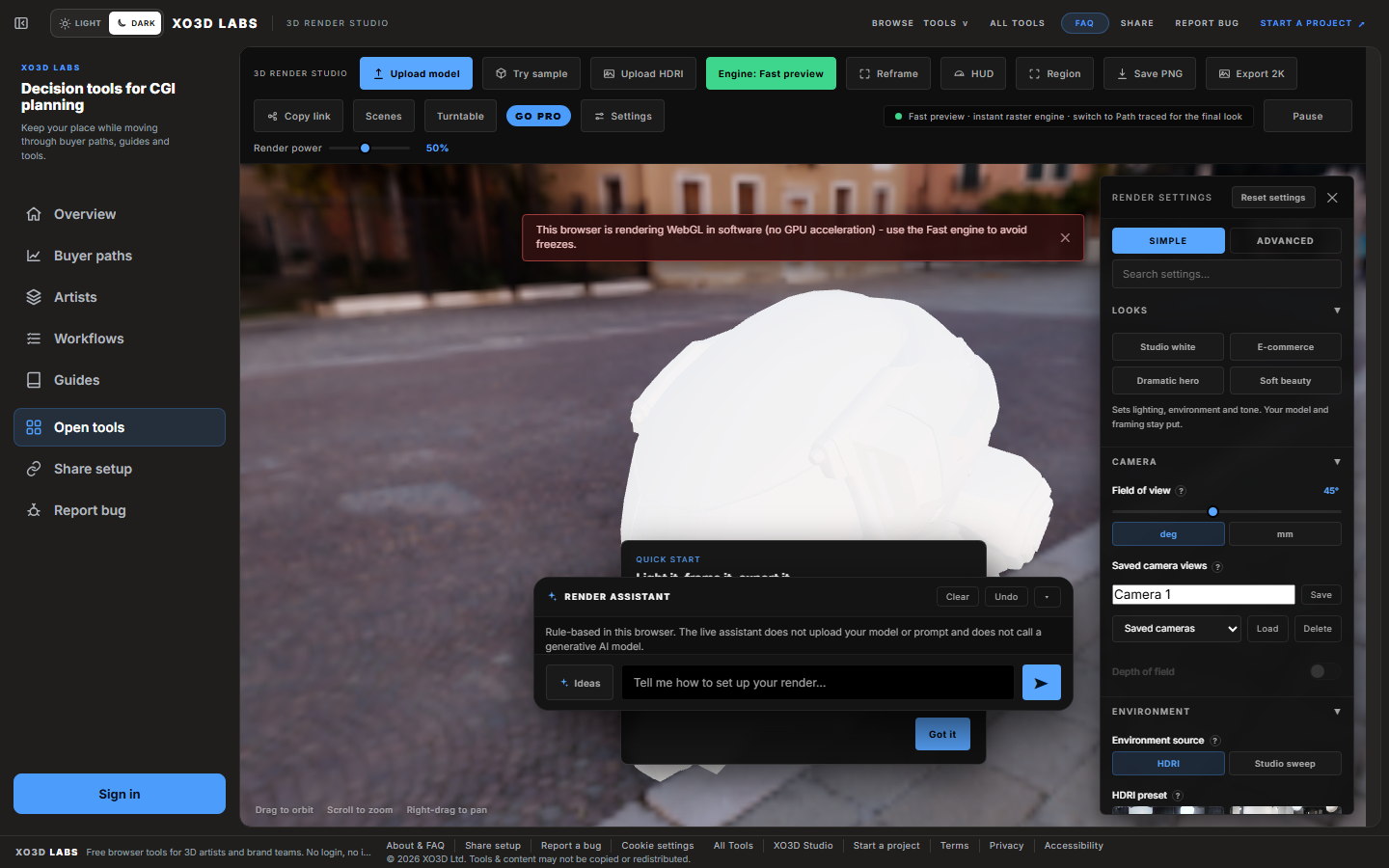
The current direct public capture shows the live renderer workspace with sample content.
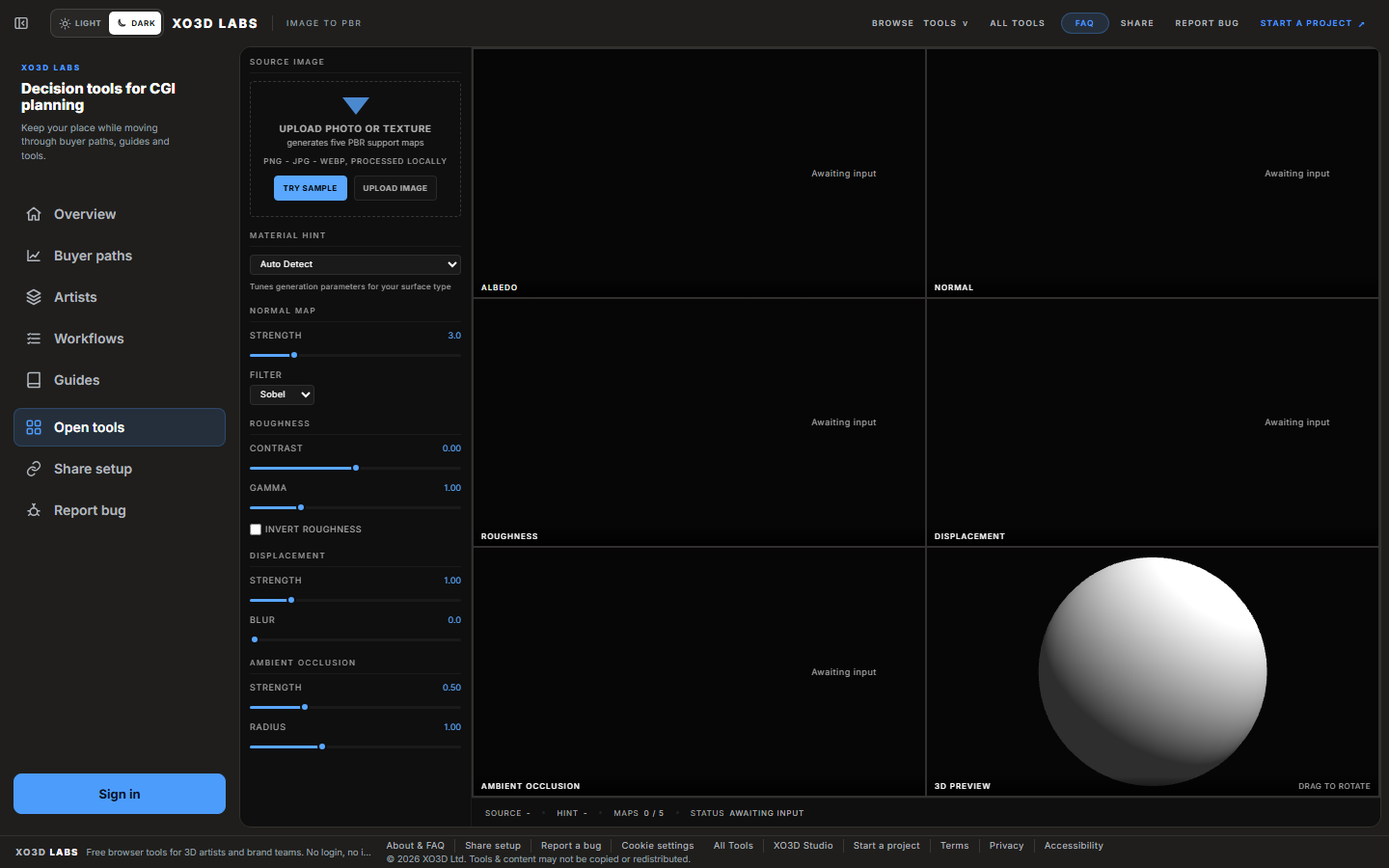
The current direct public capture shows the live texture workspace and preview controls.
Outcome-led planning routes a visitor to the right free tools and explains when expert studio support becomes useful.
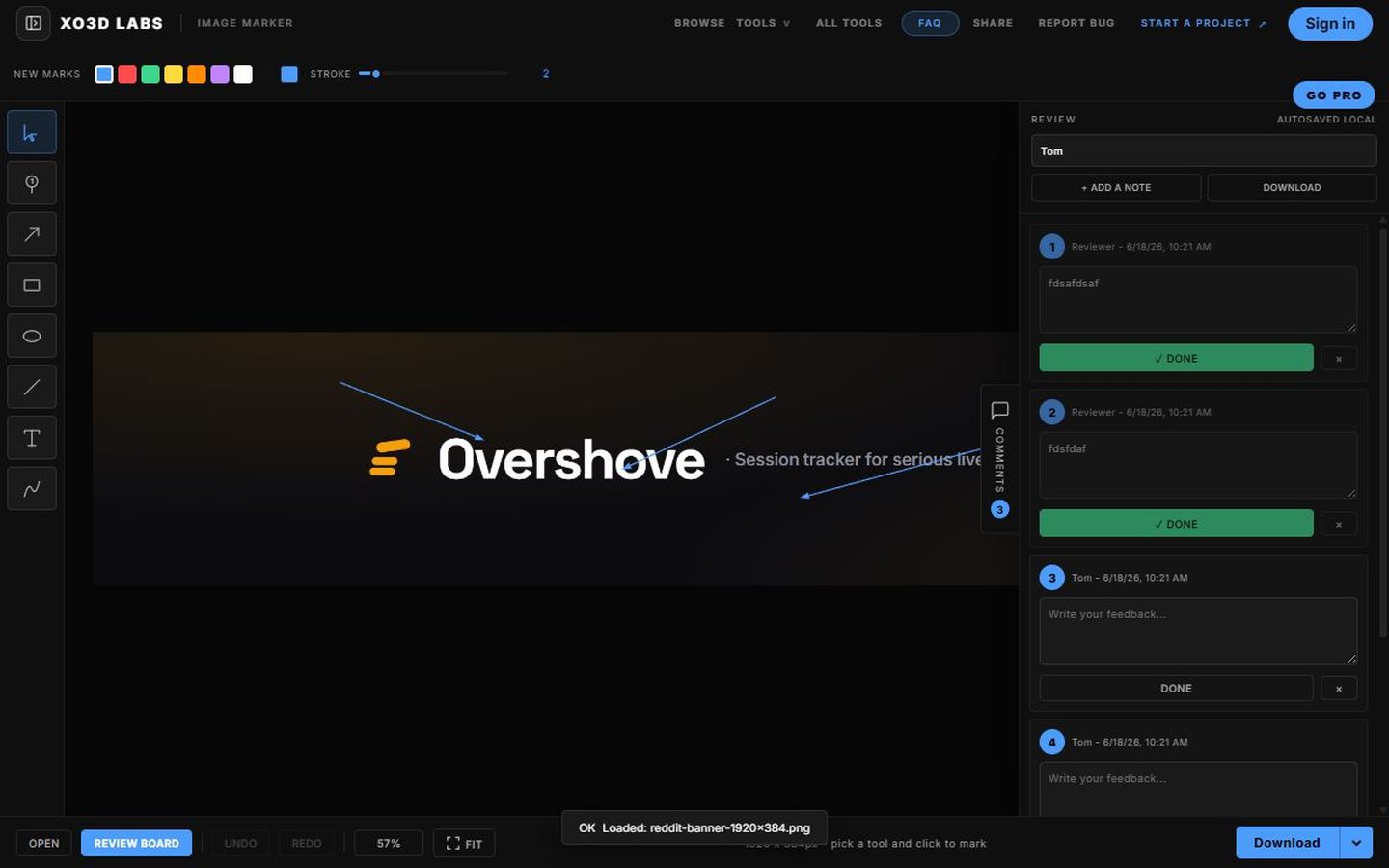
Collaborative visual review tools turn reference images and feedback into clearer production decisions in the browser.
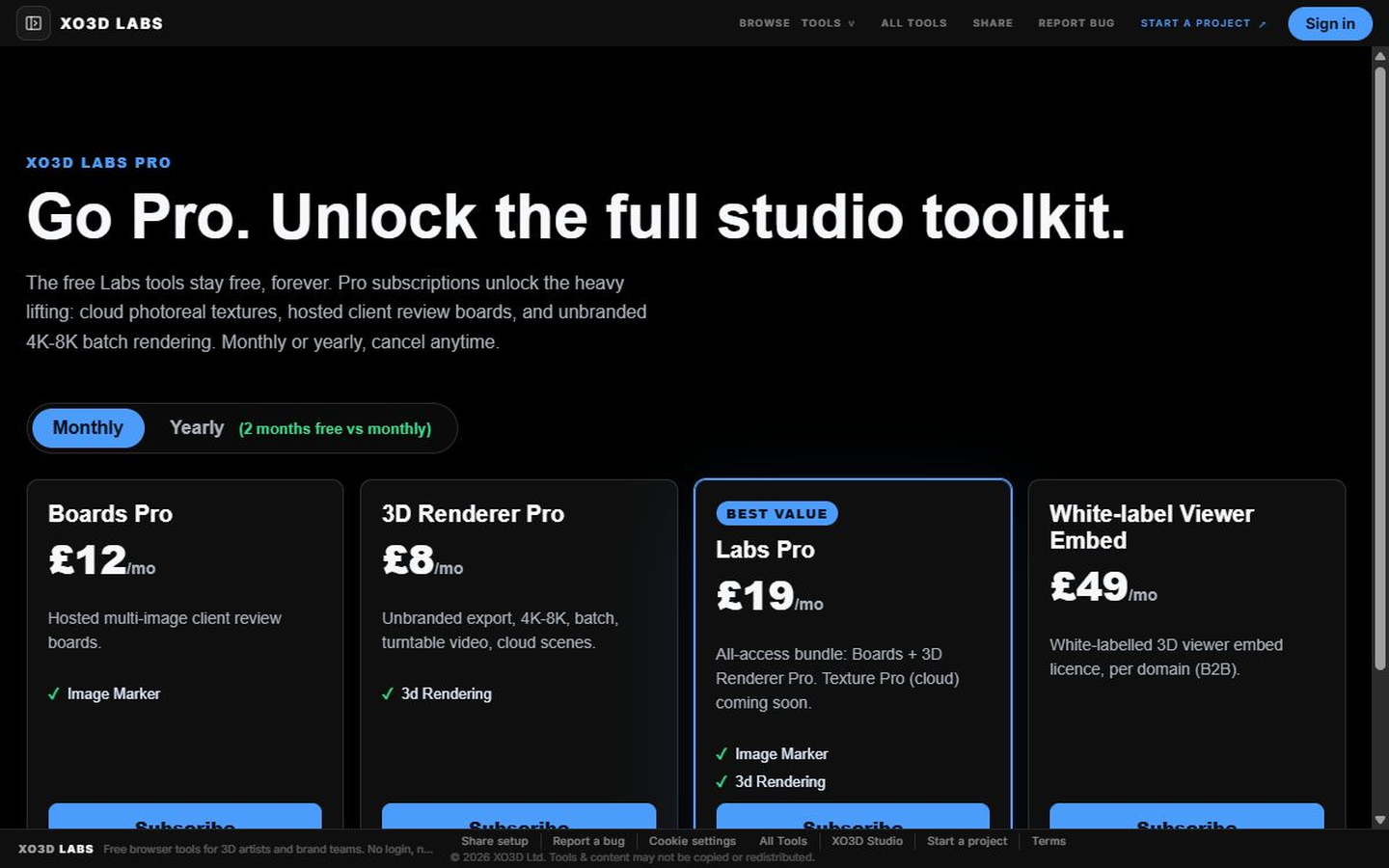
The earlier account and Pro concept demonstrates a possible workspace model while remaining clearly separated from the current free public offer.
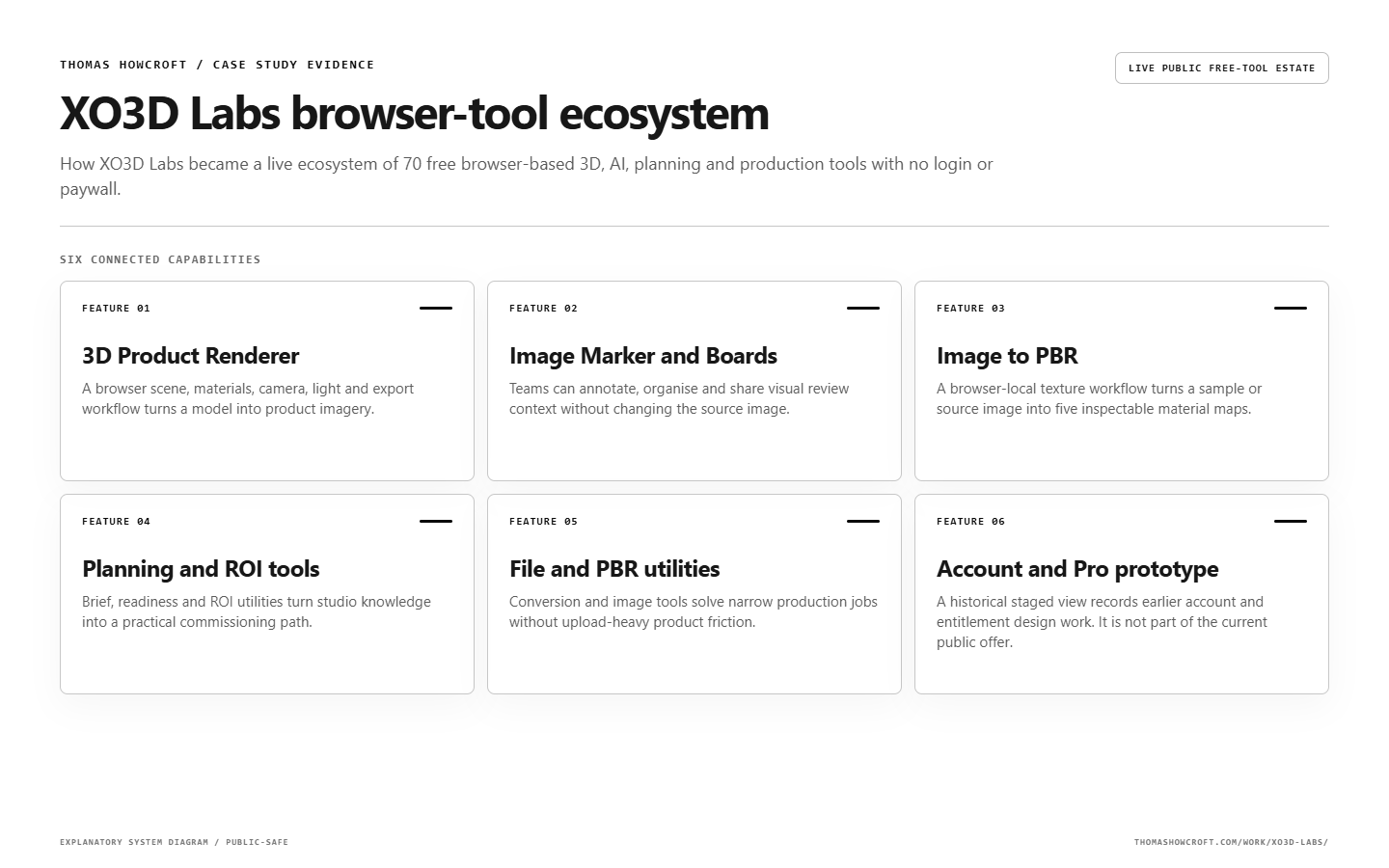
A visual summary connects the main product capabilities to the decisions, controls and user outcomes they support.
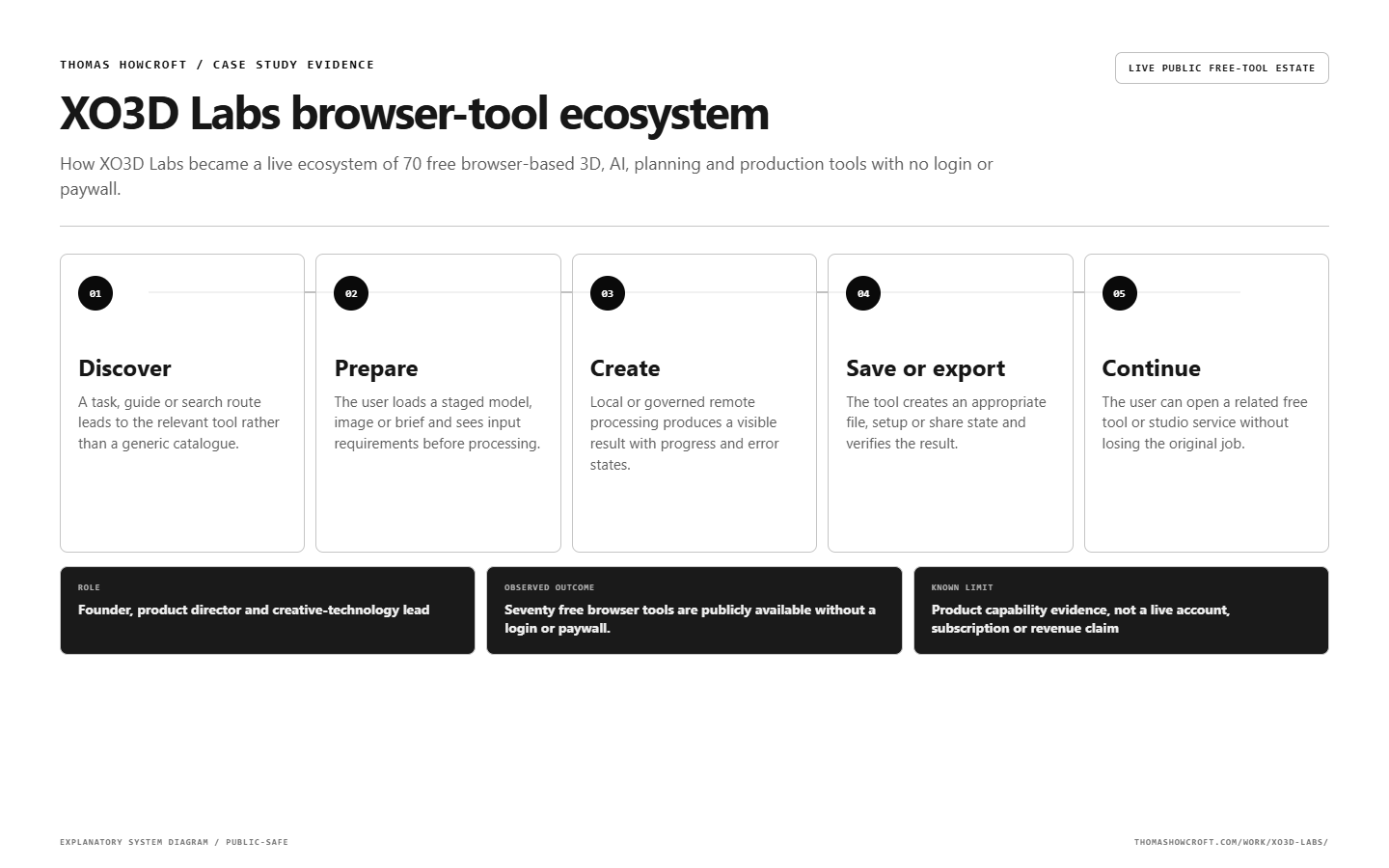
The complete working sequence shows how information moves from the first input to a checked and reviewable outcome.
The visible dashboard is only the decision surface. Context, data, permissions, review and learning determine whether it can be trusted.
Each product defines its input, processing state, useful output, error state and safe limits.
WebGL, path tracing, WebGPU, ONNX and local file processing handle appropriate work on-device.
Current public tools work without an account, trial or paid entitlement.
Relevant links to XO3D services connect free self-serve tools with expert delivery when needed.
Clean routes, tool hubs, guides, schema, sitemaps and AI-readable descriptions organise the estate.
A useful workflow names the input, owner, check, approval boundary and proof that closes the loop.
A task, guide or search route leads to the relevant tool rather than a generic catalogue.
The user loads a staged model, image or brief and sees input requirements before processing.
Local or governed remote processing produces a visible result with progress and error states.
The tool creates an appropriate file, setup or share state and verifies the result.
The user can open a related free tool or studio service without losing the original job.
Each feature exists because it changes a decision, reduces unsafe ambiguity or makes a failure easier to see.
A browser scene, materials, camera, light and export workflow turns a model into product imagery.
Teams can annotate, organise and share visual review context without changing the source image.
A browser-local texture workflow turns a sample or source image into five inspectable material maps.
Brief, readiness and ROI utilities turn studio knowledge into a practical commissioning path.
Conversion and image tools solve narrow production jobs without upload-heavy product friction.
A historical staged view records earlier account and entitlement design work. It is not part of the current public offer.
The strongest evidence in an operating system is often the failure behaviour. These issues became design constraints and regression checks.
A renderer could wedge or appear frozen in particular browser conditions.
Expose progress and fallback state, reduce unsafe defaults and test the actual browser matrix.
High-resolution output could complete without a usable image.
Verify the exported artifact, guard unsupported paths and keep a recoverable lower-resolution route.
On-device AI downloads could look like a broken interface.
Show model size, progress, capability checks and a useful unavailable state.
Tool layouts could break when inserted into common navigation chrome.
Give complex tools an app-shell contract and test their real content at target widths.
Earlier account and Pro concepts could be mistaken for current public capability.
Keep the live estate free and label the old account and entitlement views as historical prototypes.
A public case study should make it easy to see what is working, what remains internal and what has not been proven.
The current public estate contains 70 free tools with no login, trial or paywall. The account and Pro view is historical prototype evidence, not a live subscription claim.
Strategy, interface, governance and implementation are treated as one operating problem rather than separate deliverables.
Each link adds a different layer of first-hand evidence rather than repeating the same page under another keyword.
Practical answers about the build, its use and its limits.
Yes. Seventy free browser tools are public with no login, trial or paywall.
The estate includes real-time 3D, browser file processing, WebGPU or WebGL work and on-device AI.
No. The account and Pro visual is clearly labelled historical prototype evidence.
No. There is no live subscriber claim, and every value in the historical prototype visual is staged.
A product diagnostic, critical-flow prototype and evidence-backed build plan. Handover: the findings, a prioritised plan and the evidence needed to decide the next step. Scope and schedule are agreed after the fit conversation.
Thomas can turn specialist knowledge into a browser tool, product ecosystem and discovery architecture with honest capability boundaries.